Before & After
A phone photo, ready for an eBay listing
White or neutral background, item large in the frame, no border and no watermark
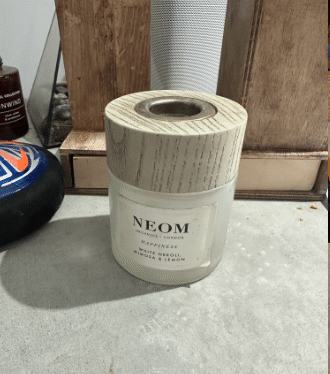 Original
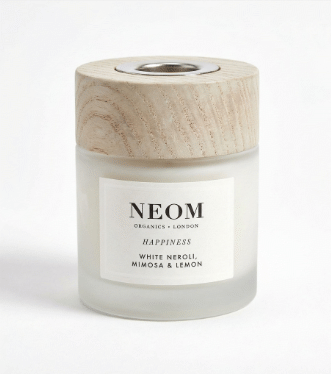 SnapSell.photo
eBay search is a grid of small pictures. The listing that gets the click is the one that looks clean at thumbnail size and still holds up when a buyer opens zoom. Here is the photo spec eBay publishes, and a practical way to hit it from a phone.
White or neutral background, item large in the frame, no border and no watermark
Original
SnapSell.photo
Use this when you export. Guessing the size is how zoom stays switched off.
| Free photos per listing | 12 on a standard listing. 24 on eBay Motors. |
|---|---|
| Minimum size | 500×500 pixels. |
| Recommended size | 1600×1600 pixels. This is the size that enables zoom. |
| Maximum file size | 12MB per image. |
| File types | JPEG, PNG, or GIF. |
| Background | White or neutral. |
| Framing | The item fills 80–90% of the frame. |
| Leave these off | Borders, text, watermarks, and logos. eBay says these can hurt search placement. |
| Used items | No stock photos. Photograph the item you are selling. |
Twelve free slots is enough if each one answers a question a buyer would otherwise message you about.
eBay's own app has basic background removal, and that is fine for a single listing when you are in a hurry. It is not built for a seller who photographs a pile of items on a Saturday and needs every main photo to look like the same shop.
SnapSell is the upgrade for that workflow. You can process photos in a batch, the output is higher quality, and there is no subscription. Photos are 20p each, and the first 2 are free. Upload a phone picture and you have an eBay-ready image in about 30 seconds: white or neutral ground, item large in the frame, nothing printed on top.
The main photo is the only one most searchers ever see. Shoot that one face-on, at 1600×1600, with the item filling 80–90% of the frame. Spend the other free slots on angles, flaws, scale, and included accessories.
For used goods, the photo is also your evidence. A stock image of a new pair cannot show the scuff on the heel you are actually posting. Buyers who cannot see the condition either skip the listing or open a case later. Close-ups of wear are not a downside. They are how a used listing earns trust.
If you also sell on Amazon, keep the two specs separate. eBay accepts a white or neutral ground and warns that text and logos can hurt placement. Do not borrow another marketplace's overlay habits. And if the item is clothing, a flat lay can become a ghost mannequin for a gallery image, while the main photo stays a clear, face-on view of the whole garment.
No lightbox and no subscription.
Daylight, whole item in frame, flaws included. Used listings cannot use a stock photo.
Background and lighting are tidied without adding borders, captions, or a logo.
That recommended size is what turns zoom on. You get 12 free photos on a standard listing.
Sizes, free photo slots, and what not to stamp on the image.
eBay's minimum is 500×500 pixels. The size eBay recommends is 1600×1600 pixels, because that is the size that enables zoom on the listing. Keep each file under 12MB, in JPEG, PNG, or GIF.
eBay includes 12 photos free on a standard listing, and 24 photos on eBay Motors. Use the main photo for a face-on view of the whole item, because that is the picture buyers see in search.
eBay says borders, text, watermarks, and logos can hurt search placement. Leave the photo as a clear picture of the item and put titles, prices, and claims in the listing text.
No. Used items need photos of the actual item you are selling, including close-ups of scratches and wear. A catalogue shot of a new version is not a substitute.
First 2 photos free, then 20p each. No subscription.
Try Free