Before & After
From a quick phone shot to a premium Etsy listing
The same product, presented the way Etsy buyers respond to
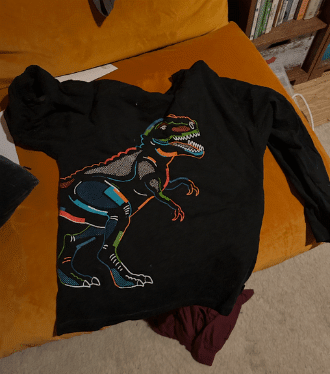 Original
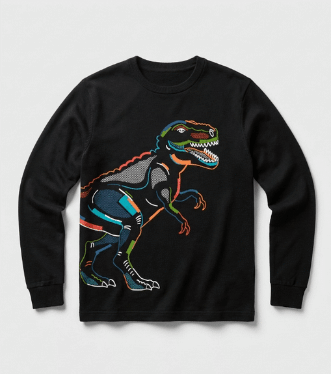 SnapSell.photo
SnapSell.photo is built for Etsy shop owners who make great products but struggle with photography. Upload any phone photo and AI removes backgrounds, fixes lighting, and creates polished listing images in under 30 seconds. No studio needed.
The same product, presented the way Etsy buyers respond to
Original
SnapSell.photo
Designed for small shop owners who make things. Not photography professionals.
Flat lay, on a table, or against a wall. Just take the photo. SnapSell.photo handles everything else automatically.
Clean studio white, warm lifestyle scenes, or branded backgrounds. Pick what suits your shop aesthetic.
Get your polished Etsy listing photo in ~30 seconds. Upload and watch your click-through rates improve.
Etsy is a visual marketplace. The cover photo determines whether buyers click or scroll past.
Clean, bright cover photos earn significantly more clicks than dim or cluttered alternatives, and more clicks improves your Etsy search ranking.
Professional presentation signals quality. Buyers on Etsy are willing to pay premium prices when your product looks premium.
Stop spending hours on lighting setups and editing. SnapSell.photo gives you listing-ready photos in under a minute so you can focus on making.
Build a cohesive Etsy shop where every listing looks like it belongs: consistent lighting, framing, and backgrounds throughout.
Create several listing image styles from a single upload to fill out your Etsy photo slots.
Before
After
White or neutral backgrounds that let your craftsmanship speak. Works for any Etsy category.
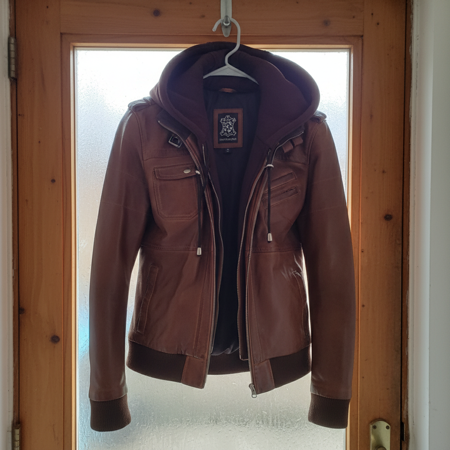 Before
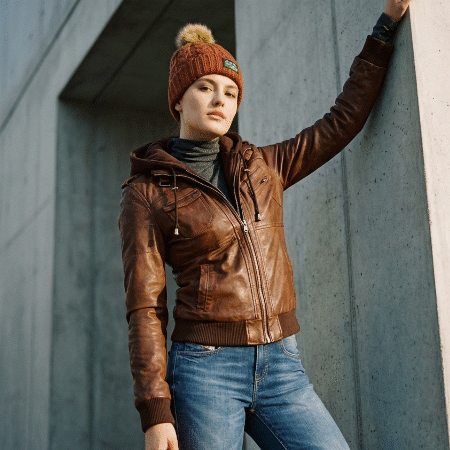 After
After
Show your product in context, especially powerful for home goods, gifts, and clothing on Etsy.
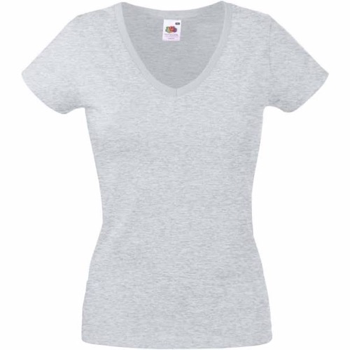 Before
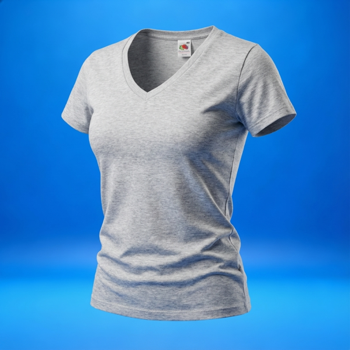 After
After
Sell clothing on Etsy? Show fit and shape clearly without a model, from any flat lay or hanger shot.
We'd rather be honest upfront than waste your time.
Specific answers for common Etsy seller situations.
Real questions, honest answers.
Etsy buyers respond best to clean backgrounds that keep your product as the focus. White and warm neutral tones work well for most categories. Lifestyle scenes work especially well for home goods and gifts. SnapSell.photo offers both, applied automatically.
Yes. Etsy's algorithm weighs click-through rate as a quality signal. Clean, standout cover photos earn more clicks, which signals to Etsy that your listing deserves better placement.
Etsy allows up to 10 photos per listing. Shops that use all 10 slots with varied angles and styles consistently convert better. SnapSell.photo can generate multiple styles from a single upload to fill those slots.
For product photography, yes. Canva is a design tool. It doesn't remove backgrounds or fix lighting automatically. SnapSell.photo is purpose-built for product photos and does both in one step with no design skills required.
Etsy buyers are drawn to listings that feel handcrafted, authentic, and premium. Unlike Amazon or eBay, Etsy shoppers value the story behind the product, and your photography needs to reflect that. The best Etsy shops use warm, natural lighting and styled settings that complement the product without overpowering it.
For your main listing image, use a clean, uncluttered composition that shows the full product clearly. Etsy recommends a minimum of 2000px on the shortest side for zoom functionality. Include multiple angles, close-ups of texture and details, and at least one lifestyle or in-context shot showing the product in use.
Pro tip: Etsy's search algorithm considers listing quality signals including photo resolution and the number of images per listing. Shops with 5+ high-quality images per listing consistently outperform those with fewer. SnapSell.photo can help you generate multiple professional variations from a single phone photo.
Consistency across your shop builds trust and encourages buyers to browse more listings. Using the same lighting style, background approach, and colour palette creates a cohesive shop identity that keeps customers coming back.
Try SnapSell.photo free. No credit card needed. Create your first Etsy listing image in under 30 seconds.
Start Free on SnapSell.photo