Before & After
From a phone snap to a Shopify product page that converts
No photographer. No studio. No Photoshop.
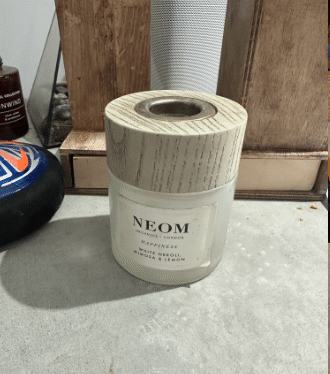 Phone photo
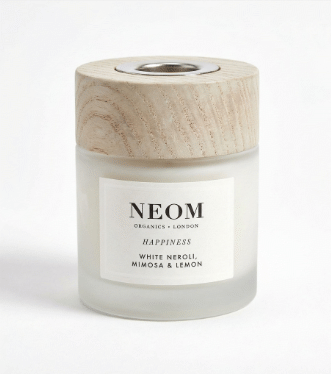 SnapSell.photo
SnapSell.photo is built for small online businesses that can't afford a product photographer for every SKU. Upload any phone photo. AI removes the background, fixes lighting, and generates clean, conversion-ready images for your Shopify store in under 30 seconds.
No photographer. No studio. No Photoshop.
Phone photo
SnapSell.photo
Built for the reality of running a small online business: limited time, no studio, phone-only photos.
On a table, on the floor, on a hanger. It doesn't matter. SnapSell.photo works with the photo you have, not the studio you don't.
Backgrounds are removed, lighting corrected, and your product placed in a clean, professional scene automatically, in seconds.
Download at the right resolution and upload directly to your Shopify product page. Consistent, on-brand, and conversion-optimised.
On a Shopify product page, the images do the selling. Everything else is secondary.
Professional product images are the single biggest variable in Shopify conversion rate. Clean, well-lit photos build trust and reduce hesitation at checkout.
Professional photographers charge £50–£300+ per image. SnapSell.photo lets you produce the same quality output at a fraction of the cost, across your entire catalogue.
Apply the same preset to every product. Consistent backgrounds, lighting, and framing that makes your entire Shopify store look intentionally designed.
Stop waiting weeks for photography slots. Process new product photos yourself in minutes, and get your Shopify listings live the same day.
SnapSell.photo is free to try and costs a fraction of a professional shoot per image. Get your store live with great photography without the upfront agency spend.
At studio prices, 30 SKUs could cost thousands. SnapSell.photo processes your entire catalogue in hours, consistently, without the cost scaling with volume.
Consistent backgrounds and clean images make any store look intentionally branded. SnapSell.photo applies the same look to every product with one click.
Phone photo to Shopify-ready in 30 seconds. No waiting for a photographer's schedule. Process and publish on the same day you stock a new product.
SnapSell.photo is platform-agnostic. One image workflow produces outputs ready for Shopify, Etsy, Amazon, and any other sales channel you use.
SnapSell.photo transforms flat lay or hanger shots into ghost mannequin or model images, showing fit and shape without hiring anyone.
Clarity upfront is better than a wasted trial.
Every example below started as a quick phone photo.
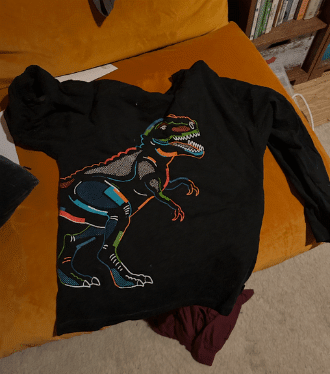 Before
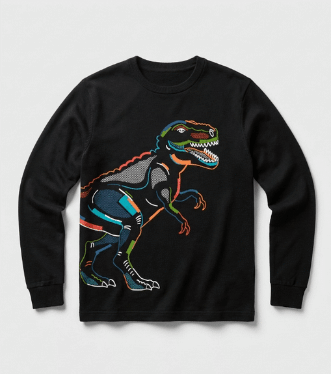 After
After
Standard for Shopify product pages. It keeps focus on the product and works with any store theme.
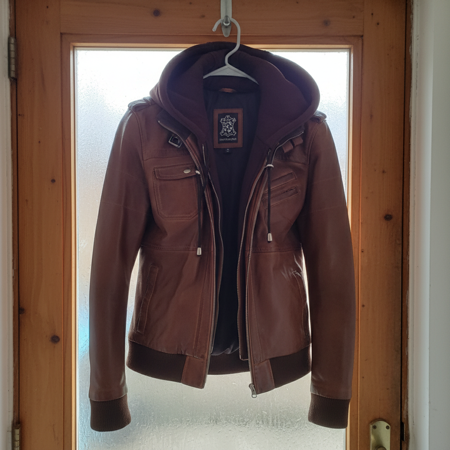 Before
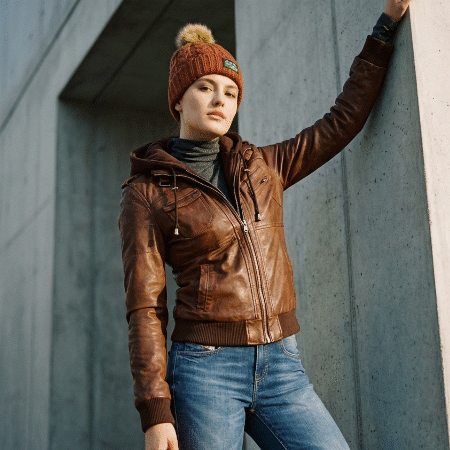 After
After
Show your product in a real setting. It improves engagement and conversion for home and lifestyle categories.
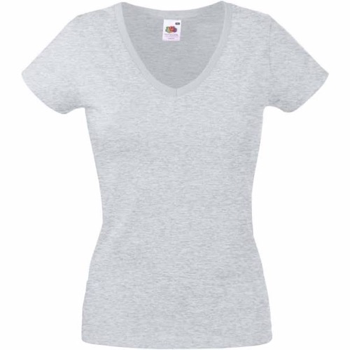 Before
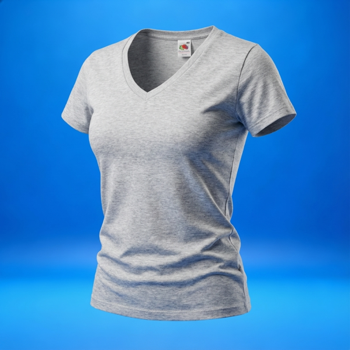 After
After
The Shopify fashion standard. It shows fit and shape without hiring a model or using a physical mannequin.
Real questions from small business owners building on Shopify.
SnapSell.photo is purpose-built for small online businesses selling on Shopify. It removes backgrounds, fixes lighting, and creates consistent, conversion-ready product images from any phone photo, without photography or design skills.
Yes, significantly. Product photography is consistently the top conversion variable for online stores. Visitors form trust judgements within milliseconds of seeing your product image. Clean, professional photos directly reduce bounce rate and cart abandonment.
Clean white or very light neutral backgrounds are the standard for Shopify. They work with any theme, keep the product as the clear focus, and load fast. For lifestyle context, warm neutral room scenes perform well for home, clothing, and gift categories.
For day-to-day product images, yes, SnapSell.photo is faster, cheaper, and produces consistent results at scale. For hero campaign shots or custom editorial content, a professional photographer adds creative value that AI currently can't fully replicate. See the full comparison →
Shopify stores live and die by their product photography. Research shows that 75% of online shoppers rely on product photos to make purchasing decisions, and Shopify's own data confirms that stores with professional imagery see significantly higher conversion rates and lower return rates.
Use a consistent white or light background for your main product image, and include at least 3-5 images per product showing different angles, close-ups, and scale shots. Shopify recommends 2048x2048px square images for optimal zoom functionality. Keep file sizes under 20MB and use descriptive alt text for every image to boost SEO.
Pro tip: Shopify themes display product images differently, but square (1:1) images work best across all themes and look consistent in collection pages. SnapSell.photo automatically generates square, high-resolution product images with clean backgrounds optimised for Shopify stores.
Beyond the main product shot, consider adding lifestyle images that show the product in use. Shopify stores with a mix of studio and lifestyle photography consistently outperform those with only one style. This combination builds trust and helps buyers visualise how the product fits into their life.
Try SnapSell.photo free. No credit card needed. Turn any phone photo into a professional Shopify product image in seconds.
Start Free on SnapSell.photo