Etsy Photography Guide

Etsy Listing Photo Tips: Stand Out in a Crowded Marketplace

With millions of active listings, your photos are the single biggest factor in whether a buyer clicks on your product or scrolls past. Here's everything you need to know about taking better Etsy listing photos — from technical requirements to styling strategies that actually work.

Etsy Photo Requirements: The Technical Specs

Before you think about composition or styling, you need to meet Etsy's technical requirements. Listings that fall short of these specs won't look sharp on desktop or mobile, and buyers will notice.

2000 × 2000px
Recommended minimum
Up to 10
Photos per listing
20MB
Max file size
JPG, PNG, GIF
Accepted formats

Etsy recommends images of at least 2000px on the shortest side to enable the zoom feature — which buyers rely on heavily for handmade and vintage items. The first image in your listing becomes the thumbnail displayed in search results, category pages, and favourites lists, so it carries disproportionate weight. If you're unsure whether your images meet these standards, try running them through a listing photo audit.

How Many Photos Do You Actually Need?

Etsy gives you 10 image slots per listing. The best-performing shops use at least 7. Each photo should serve a distinct purpose rather than showing the same angle three times. Here's what to aim for:

  1. Main product shot — clean, well-lit, full product visible. This is your thumbnail.
  2. Lifestyle or in-context image — show the product being used or displayed in a real setting.
  3. Scale reference — place the item next to something recognisable (a hand, a coin, a ruler) so buyers understand the size.
  4. Detail close-ups — texture, stitching, engraving, material finish. Etsy buyers care about craftsmanship.
  5. Different angles — back, side, bottom. Remove any guesswork about what the product looks like.
  6. Packaging shot — especially important for gift items. Show how it arrives.
  7. Variation examples — if you offer colour or size options, show them clearly.

Listings with 7 or more high-quality images consistently outperform those with fewer on Etsy. Every empty photo slot is a missed opportunity to answer a buyer's question or show them something they'd love.

Etsy-Specific Photo Tips

Etsy isn't Amazon. The platform rewards warmth, personality, and craftsmanship — and your photography should reflect that. If you're looking for more general product photography advice, our guide to improving product photos covers the fundamentals. Below are tips specific to selling on Etsy.

Your first photo matters most

It's the thumbnail in search, in favourites, and in the buyer's cart. Treat it like a shop window — clear subject, clean background, and the product filling most of the frame. A strong thumbnail is the single biggest driver of click-through rate on Etsy.

Use natural light for a handmade feel

Etsy buyers are drawn to the handmade aesthetic. Soft, diffused natural light from a window gives products a warm, authentic look that resonates with Etsy's audience. Avoid harsh overhead lighting or direct flash. If you're working with a phone, check our phone photography guide for practical lighting setups.

Show the product in use

Lifestyle shots help buyers imagine owning the item. A candle on a bedside table, a necklace being worn, a mug held in two hands — these images create an emotional connection that clean studio shots alone cannot.

Include a scale reference

"Smaller than I expected" is one of the most common complaints in Etsy reviews. Prevent it entirely by including at least one image that clearly conveys the item's size relative to a familiar object.

Photograph variations separately

If your listing offers multiple colours or sizes, don't rely on a single group shot. Individual variation photos reduce buyer uncertainty and cut down on pre-purchase messages asking "what does the blue one look like?"

Keep backgrounds consistent across your shop

A cohesive visual identity builds trust. When every listing in your shop uses the same lighting style and background approach, buyers perceive your brand as more professional and are more likely to browse additional listings.
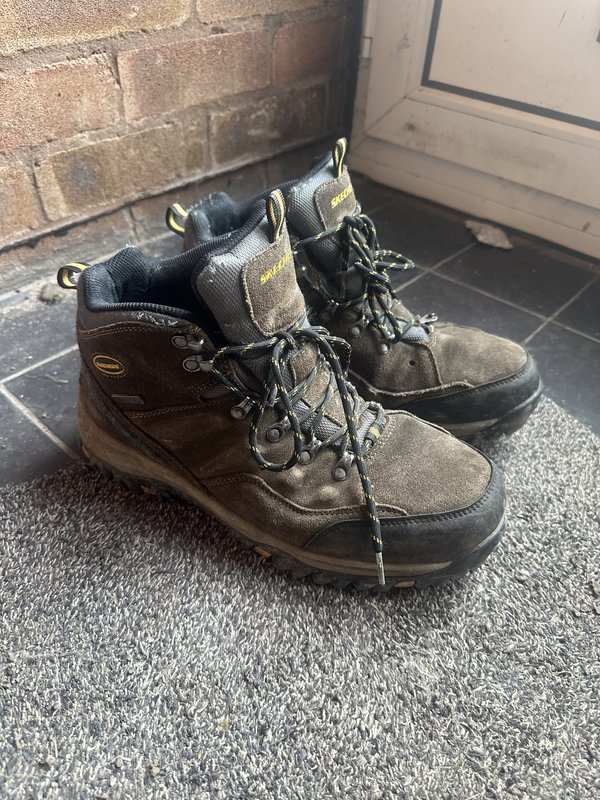
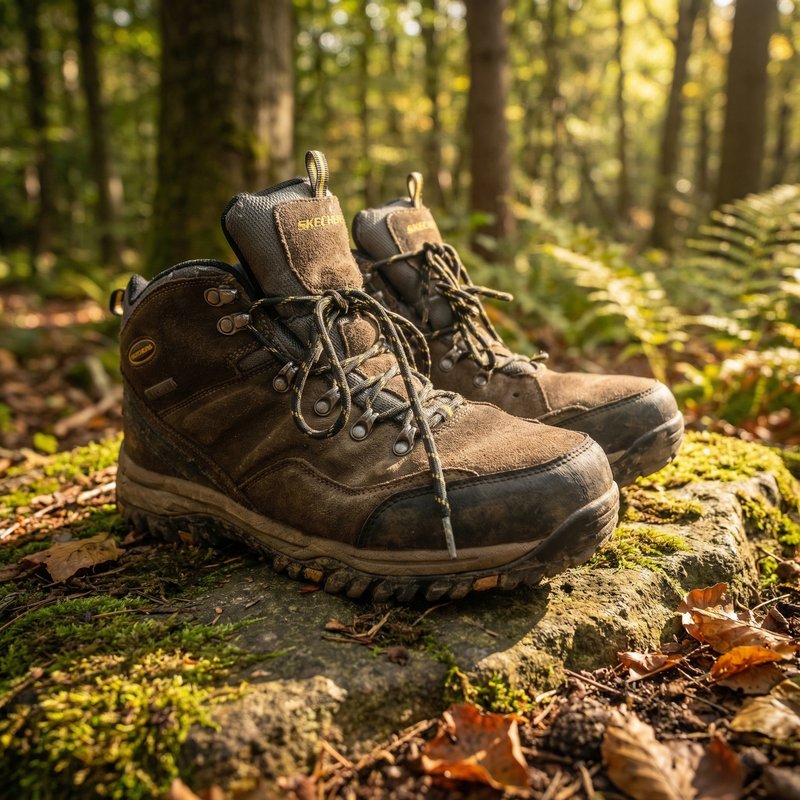
Studio vs Lifestyle: What Works on Etsy

On platforms like Amazon, clinical white backgrounds are mandatory. Etsy is different. Buyers come to Etsy specifically because they want something with character — and your photos should reflect that.

That said, it's not an either/or choice. The strongest Etsy listings mix both approaches: clean studio-style images for the main shot and detail close-ups, combined with styled lifestyle images that give the product context and warmth. A clean first image grabs attention in search; lifestyle images further down the listing seal the sale.

If you're weighing up the pros and cons of AI-generated backgrounds versus traditional studio photography, our AI vs professional studio comparison breaks down the trade-offs in detail. For most Etsy sellers, a blend of clean backgrounds and warm lifestyle scenes — applied consistently — delivers the best results.

Alt Text and SEO for Etsy Images

Etsy allows you to add alt text to every listing image. This serves two purposes: it makes your shop accessible to buyers using screen readers, and it gives Etsy's search algorithm more context about what your product is.

Write descriptive, specific alt text. Instead of "product photo," write "hand-poured soy candle in amber glass jar with cork lid." Include relevant details like material, colour, and use case. Keep it natural and avoid keyword stuffing — Etsy's algorithm is sophisticated enough to penalise that.

Strong alt text, combined with well-optimised titles and tags, helps your listings appear in both Etsy search and Google image search — giving you two discovery channels from the same effort.

Tools to Speed Up Your Photo Workflow

Photography is essential, but it shouldn't consume your entire day. If you're listing products regularly, the editing and formatting process can become a serious bottleneck. Here's where to save time without sacrificing quality.

SnapSell.photo handles background removal, lighting correction, and scene generation from a single phone photo — in roughly 30 seconds. For Etsy sellers listing new products every week, that time saving compounds quickly.

If you sell clothing, the ghost mannequin effect lets you show fit and shape without hiring a model. Upload a flat lay or hanger shot and get a professional hollow-form result automatically.

For shops with large catalogues, batch processing lets you apply the same style, background, and lighting treatment across dozens of products at once — keeping your shop looking cohesive while cutting hours from your workflow.

Common Questions About Etsy Listing Photos

Quick answers to the most frequently asked questions.

What size should Etsy product photos be?

Etsy recommends at least 2000px on the shortest side to enable zoom. The ideal aspect ratio is 4:3 (e.g. 2000x1500px). Accepted formats are JPG, PNG, and GIF, with a maximum file size of 20MB per image.

How many photos should I include in an Etsy listing?

Etsy allows up to 10 images. Best practice is to use at least 7, covering your main product shot, lifestyle images, detail close-ups, scale references, different angles, and packaging. More quality images means higher conversion rates.

Do I need a white background for Etsy photos?

No. Unlike Amazon, Etsy has no white background requirement. Many top-performing shops use warm, styled backgrounds that complement the handmade feel. The key is consistency — pick a style and stick with it across your entire shop.

How do I make my Etsy listing photos stand out?

Prioritise your first image — it's the thumbnail in search. Use natural light, keep compositions clean, and fill the frame. Add lifestyle shots showing the product in use, include close-ups of craftsmanship details, and maintain a consistent visual style throughout your shop.

Try SnapSell.photo Free

Create polished Etsy listing photos from any phone shot — no studio, no design skills, no credit card. Your first image is ready in under 30 seconds.

Start Free on SnapSell.photo