Why Your Phone Is All You Need
Here's a truth that might surprise you: the camera in your pocket is more powerful than the professional studio cameras of ten years ago. Modern smartphone sensors capture stunning detail, handle low light remarkably well, and produce images at resolutions that exceed what any marketplace requires.
The difference between a product photo that converts and one that gets scrolled past has almost nothing to do with the camera. It comes down to lighting, background, composition, and a bit of editing. All things you can master with the phone you already own.
Whether you're listing vintage finds on Etsy, flipping trainers on eBay, or building a proper Shopify store, this guide will walk you through everything you need to know.
Step-by-Step: Phone Product Photography
Find Good Natural Light
Position yourself near a large window with indirect light. Avoid direct sunlight. It creates harsh shadows that make products look cheap. Overcast days are ideal because the clouds act as a natural diffuser, giving you soft, even illumination. Shoot between 10am and 2pm for the strongest daylight.
Set Up a Clean Background
A sheet of white posterboard from a pound shop is the simplest and most effective backdrop. Prop it against a wall so it curves gently. No harsh crease line in your photos. For smaller items, a piece of A2 card works perfectly. The goal is a clean, distraction-free surface that keeps the focus on your product.
Steady Your Phone
Camera shake is the enemy of sharp photos. You don't need a fancy tripod. Lean your phone against a stack of books, rest your elbows firmly on a table, or use a mug as a makeshift stand. Use your phone's self-timer (2–3 seconds) so the act of tapping the shutter doesn't introduce blur.
Frame and Compose
Turn on the grid overlay in your camera settings and use the rule of thirds to position your product. Fill roughly 80% of the frame with the item. Buyers want to see detail, not your room. Tap on the product on your screen to lock focus and exposure. For clothing, flat lays (shooting from directly above) often work best, then an AI ghost mannequin tool can add 3D shape without a studio.
Take Multiple Angles
One photo isn't enough. Capture the front, back, sides, any labels or tags, close-up details of textures or features, and a shot that shows scale. Aim for 5–8 images per listing. Buyers who can see a product from every angle feel more confident, and confident buyers spend more.
Edit and Enhance
A few basic adjustments go a long way: bump up the brightness slightly, increase contrast a touch, and make sure whites look white (not yellowish). Your phone's built-in editor handles these basics well. For a truly professional finish (background removal, lighting correction, studio-quality settings), AI tools like SnapSell.photo do the heavy lifting in seconds.
Or skip all the manual work
Upload your phone photo to SnapSell.photo and the AI removes the background, fixes lighting, and places your product on a professional studio setting in roughly 30 seconds.
Try SnapSell.photo Free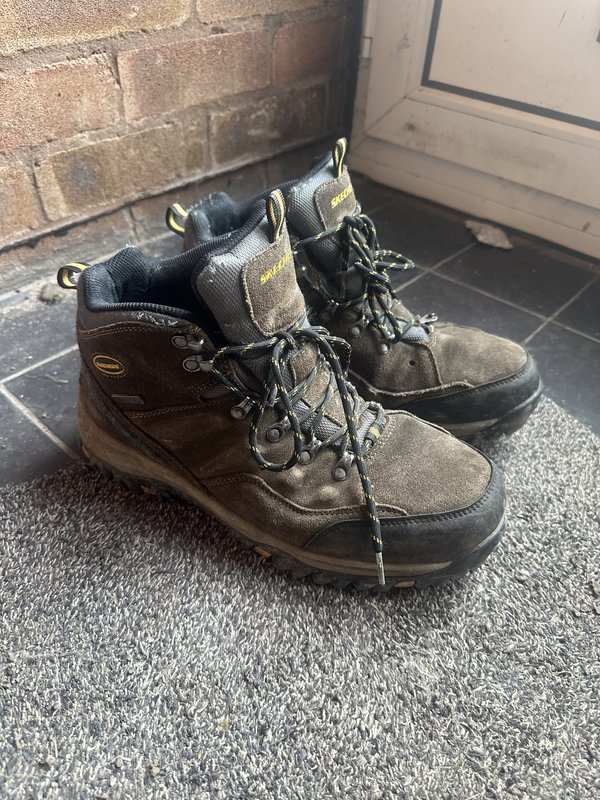
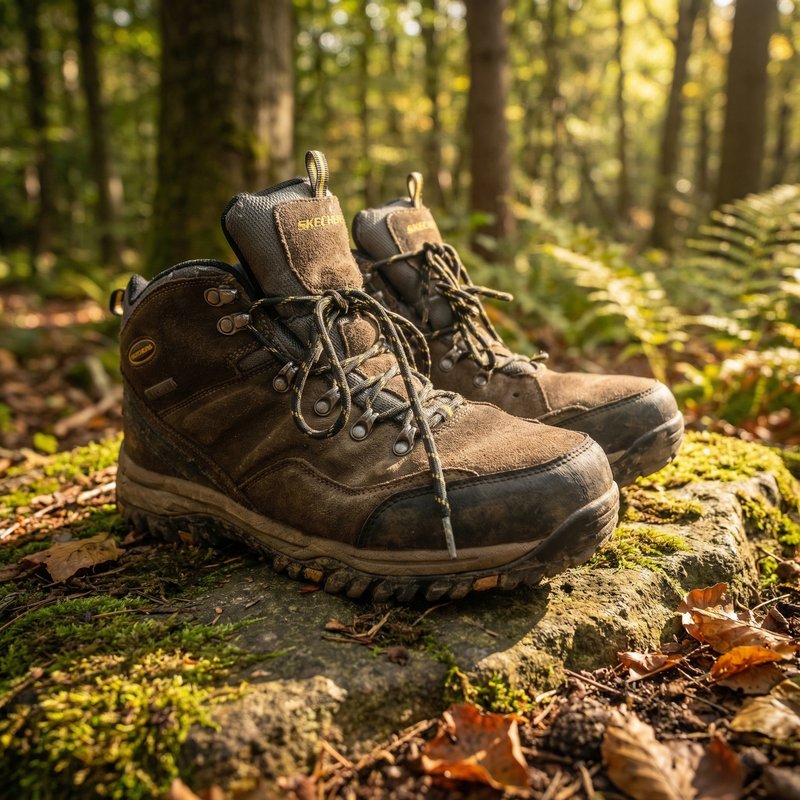
Before you shoot, clean your camera lens with a soft cloth. You'd be amazed how many blurry, hazy photos are simply down to a smudgy lens. Also, always turn off your flash. It creates flat, unflattering light with harsh shadows.
Common Mistakes to Avoid
Even with the right technique, a few common slip-ups can undermine your photos. Here's what to watch out for:
Using the Flash
Phone flash washes out colours, creates harsh shadows, and makes products look flat and unappealing. Natural light or a simple lamp will always produce better results.
Cluttered Backgrounds
That pile of post, your half-eaten lunch, or the cat's toys in the background distract buyers and make your listing look unprofessional. Keep it clean.
Fingers in the Shot
Holding items while photographing them rarely looks good. Use a flat surface, a stand, or hang items from a hook instead. If you must hold something, at least make sure your hands are clean and nails are tidy.
Inconsistent Lighting
Mixing natural and artificial light creates strange colour casts. Stick to one light source for consistent results across all your listings.
For a deeper dive into improving your existing product images, have a look at our complete guide to improving product photos.
Where to Use Your Phone Photos
Once you've taken great photos, they'll work across every platform you sell on. Each marketplace has slightly different requirements, but the fundamentals are the same:
- Shopify: square images at 2048×2048px work best; consistent style across your store builds brand trust
- Etsy: lifestyle and detail shots perform well; first image should clearly show the product on a clean background
- Amazon FBA: main image must have a pure white background (RGB 255,255,255); AI background removal is particularly useful here
- eBay listing photos: white or light grey backgrounds with the product filling 80–90% of the frame; square images at 1600×1600px for the zoom feature
- Depop & Vinted listing photos: more casual platforms, but clean backgrounds still outperform messy ones significantly
- Better Poshmark photos: cover photos crop square; a clean background and even lighting make the closet look consistent
The beauty of taking good phone photos is that one set of images works everywhere. And if you need to create professional product photos quickly, AI enhancement tools can adapt a single photo into multiple marketplace-ready formats.
Frequently Asked Questions
Absolutely. Modern smartphone cameras, whether iPhone or Android, have more than enough resolution and quality for ecommerce product photography. The key factors are lighting, background, and composition, not the camera itself. Pair a decent phone photo with an AI enhancement tool like SnapSell.photo and the results rival professional studio shots.
Natural daylight near a window is the best free lighting source. Position your product beside a window with indirect light. Overcast days are ideal because clouds diffuse the light evenly. Avoid direct sunlight, which creates harsh shadows. If you must shoot in the evening, a simple ring light or desk lamp with a white diffuser works well.
A tripod helps but isn't essential. You can steady your phone by propping it against a stack of books, using a mug, or resting your elbows on a table. Alternatively, use your phone's timer or burst mode to reduce shake from tapping the shutter button. If you shoot products regularly, a cheap phone tripod (under £15) is a worthwhile investment.
AI-powered tools make background removal effortless. Upload your phone photo to SnapSell.photo and the AI will automatically remove the background, clean up the lighting, and place your product on a professional studio-quality setting, all in seconds. No manual editing or Photoshop skills required.
Turn Phone Snaps into Studio Shots
You've taken the photos. Now let AI handle the backgrounds, lighting, and polish. Professional product images in seconds. Free to try.
Try SnapSell.photo FreeThe Bottom Line
Your phone is the only camera you need. The sellers who consistently take great product photos aren't using expensive equipment. They're using good light, clean backgrounds, and smart composition. Master those three things and you'll produce images that stop the scroll, build buyer confidence, and drive faster sales at higher prices.
And for anything your phone can't quite handle on its own (messy backgrounds, uneven lighting, or that professional studio polish), AI tools are there to bridge the gap. The combination of a thoughtful phone photo and intelligent enhancement is genuinely hard to beat.
Now grab your phone, find a window, and start shooting.